
This month, we are launching exciting product updates in Lemax. Learn about the details below (available from October 22nd, 2026).
Supplier Payment Management
What’s new
Lemax now covers supplier payments end to end. Payment terms defined on the supplier or on the contract are turned into a payment schedule on every booked reservation item, and that schedule drives a supplier payment overview in the Operations report, Supplier Advance Payment Invoices, automatic reconciliation against the final supplier invoice and pre-filled due dates.
Please contact customer.success@lemax.net for additional information regarding this new add-on feature. We would be happy to assist you and schedule a demo presentation.
Problem being solved
Supplier payment terms could be defined in the system. The system did not read them, validate them or link them to any document.
Finance had to open the supplier contract, work out the deposit and the balance by hand and then create separate supplier invoices for each part just to track them apart.
Benefit for the users
- Payment terms are entered once, on the supplier or on the contract. Every new booking gets its own schedule with due dates and amounts, and the schedule follows changes to service dates, prices or the contract.
- All supplier obligations sit in one list. The Operations report shows per reservation item what is due and when, what has been invoiced and what is still open, with colored statuses and filters for overdue items and due date ranges.
- Advance invoices take a few clicks. Finance selects the items in the Operations report and the Supplier Advance Payment Invoice opens with the expected amount per line already calculated.
- Reconciliation is done by the system. When the final supplier invoice is created, the open advances are listed on the form and pre-selected, and on save they are cancelled and their payments move to the final invoice.
- Fewer manual mistakes. Due dates are pre-filled and the amounts above the expected value trigger a warning.
How it works
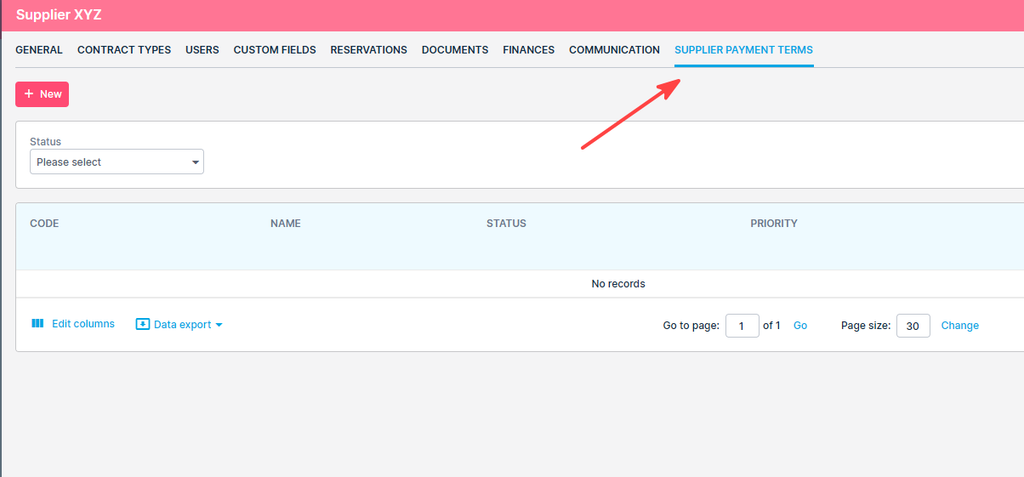
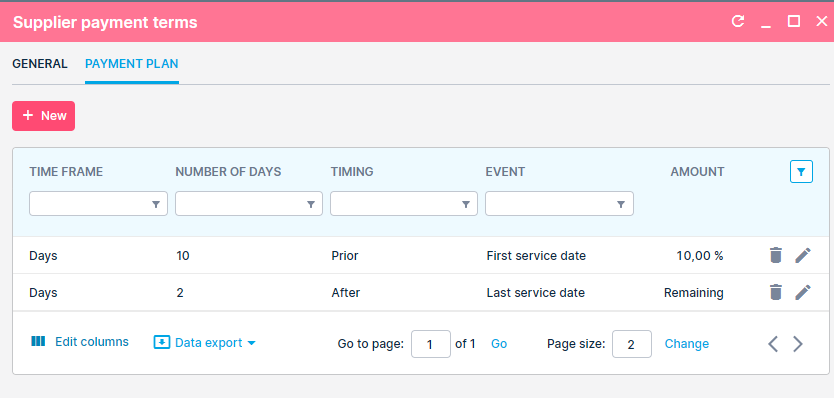
Payment terms
Set payment terms once on the supplier, or on the contract to override the supplier. Each installment is a percentage or the remaining amount, due a number of days before or after the first or last service date.
Operations report overview
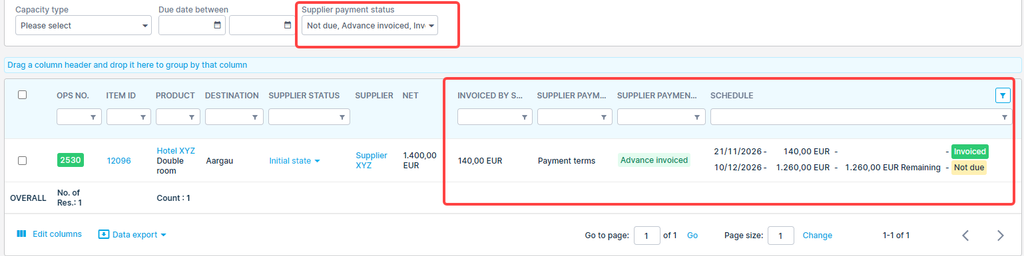
New columns show
- per item the applied rule,
- invoiced by supplier
- a colored status (Not due, Overdue, Advance invoiced, Invoiced, No rule)
- installment schedule.
Filter by status or due date to see what needs attention.
Supplier advance invoice
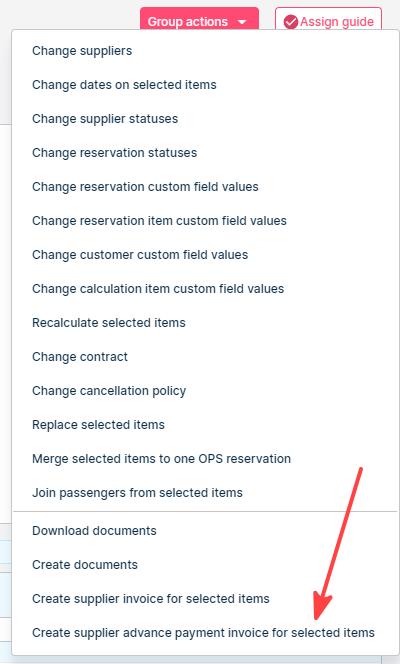
Select items in the Operations report and create one advance invoice per supplier. The form shows the expected amount on each line and warns when you enter more.
Closing advances
When you create the final supplier invoice, the open advance invoices are listed and pre-selected.
On save they are cancelled (Supplier advance invoice cancellation is created) and their payments move to the final invoice.
