
This month, we are launching exciting product updates in Lemax. Learn about the details below (available from March 26th, 2026).
Custom fields grouping and sorting
What’s new
Custom fields can now be grouped into tabs and reordered across Reservation, Partner, Passenger, Reservation Item and Document custom fields.
This update is automatically available to you once the release is launched. Please note that the usage of this update could depend on system setups (which modules/products you use) and user roles.
Problem being solved
Managing a large number of custom fields was inefficient and hard to navigate. All fields were displayed in a single list, with limited structure and no ordering management. This led to cluttered screens, slower navigation and reduced usability, especially for customers with complex setups.
Benefit for the users
Users can now structure custom fields logically by grouping them into tabs, making navigation clearer and faster.
How it works
Custom fields are grouped into tabs
Users can create custom field groups, which are displayed as tabs. Each custom field belongs to exactly one group.
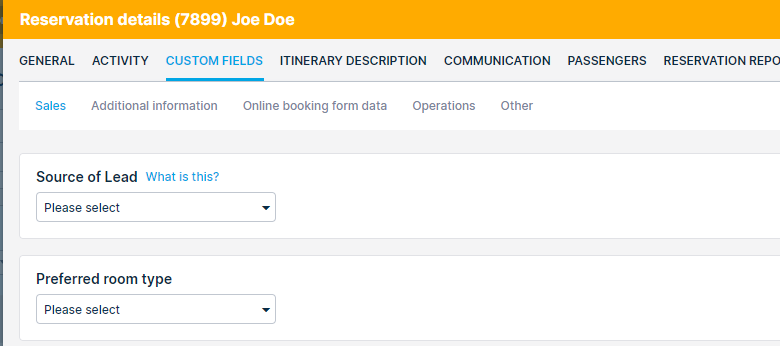
Grouping custom fields into tabs
Custom field groups configuration can be edited on the Options → Custom fields.
Users can create custom field groups. Each custom field belongs to exactly one group. Groups can be renamed at any time and can be deleted only if they do not contain any custom fields.
Migration of current custom fields: A “Default group” is automatically created for existing custom fields, and all existing fields are assigned to it during migration.
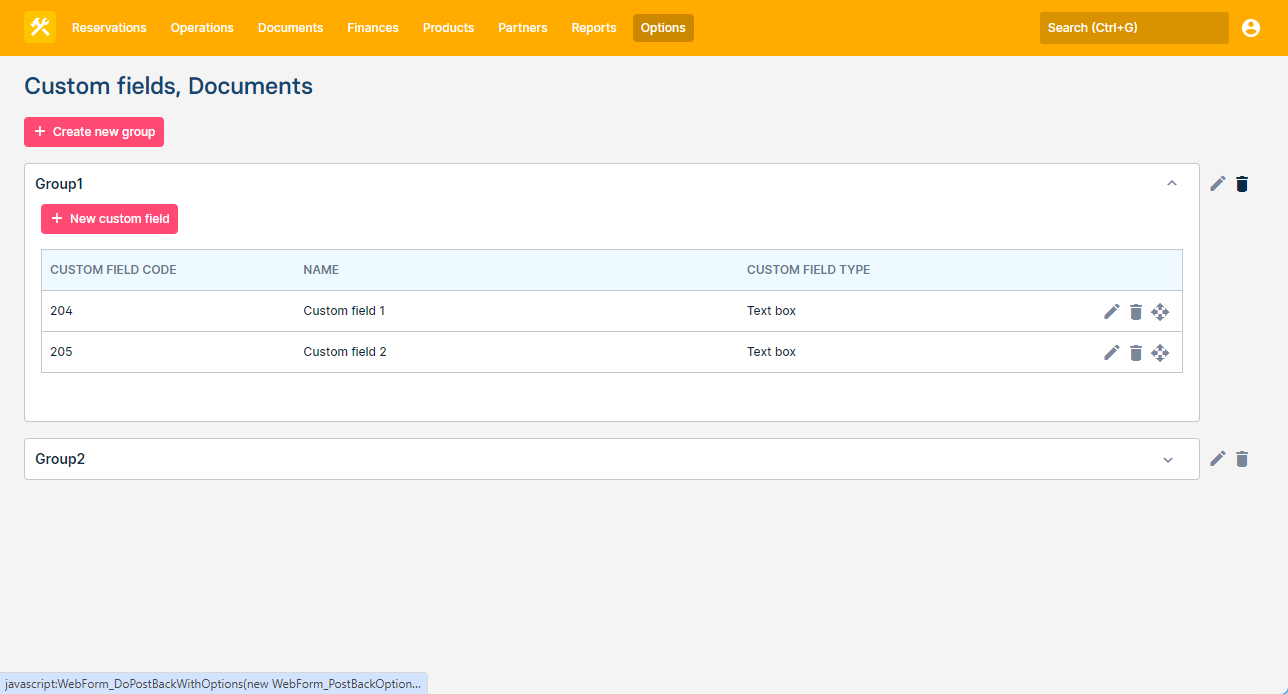
Drag and drop ordering
System Custom field order can be managed on the main Custom field screen by dragging and dropping custom fields.
There, custom fields can be moved from one group to another.
Users can configure their own, user-specific, order on the specific entity (e.g. Reservaion) by dragging and dropping them within a Custom fields tab.
