This month, we are launching exciting product updates in Lemax. Learn about the details below (available from April 9th, 2026).
Connecting large number of tours to the Special offers
What’s new
Special Offers (SPOs) can now be linked directly to specific subgroups and filtered by partner in the SPO grid, enabling more precise and flexible SPO management.
This update is automatically available to you once the release is launched. Please note that the usage of this update could depend on system setups (which modules/products you use) and user roles.
Problem being solved
Previously, SPOs were automatically applied to all similar subgroups (tour departures), even when not relevant, leading to incorrect visibility of SPOs without actual applicability. Additionally, users lacked the ability to filter SPOs by partner, making it difficult to efficiently manage offers across multiple partners.
Benefit for the users
Users can now precisely control where SPOs apply by selecting exact subgroups (tour departures), significantly reducing mismatches between SPO visibility and applicability. Partner-based filtering improves operational efficiency and allows users to quickly find and manage relevant SPOs.
How it works
Subgroup assignment for SPOs
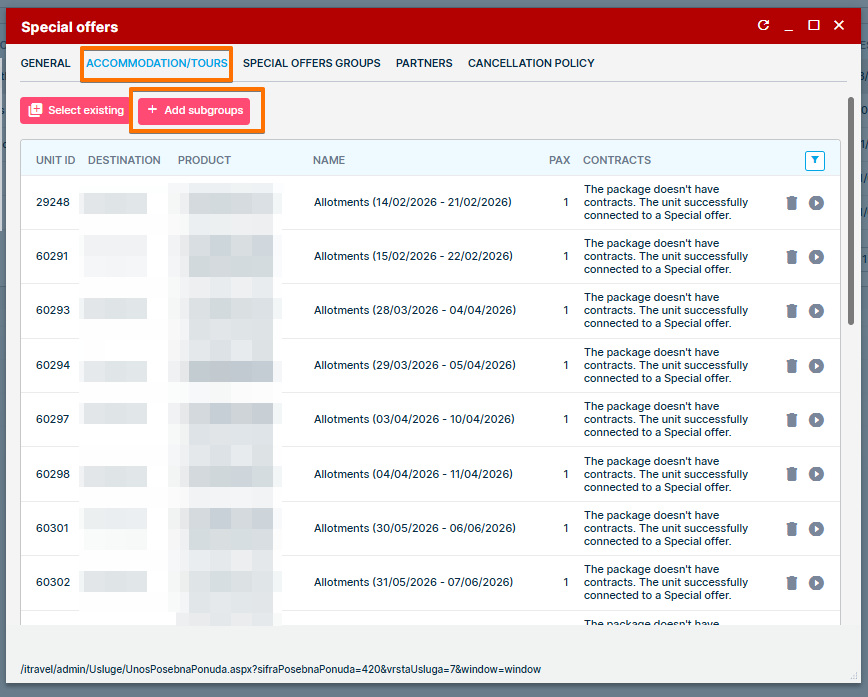
- A new “Add Subgroups” action is available on the SPO form.
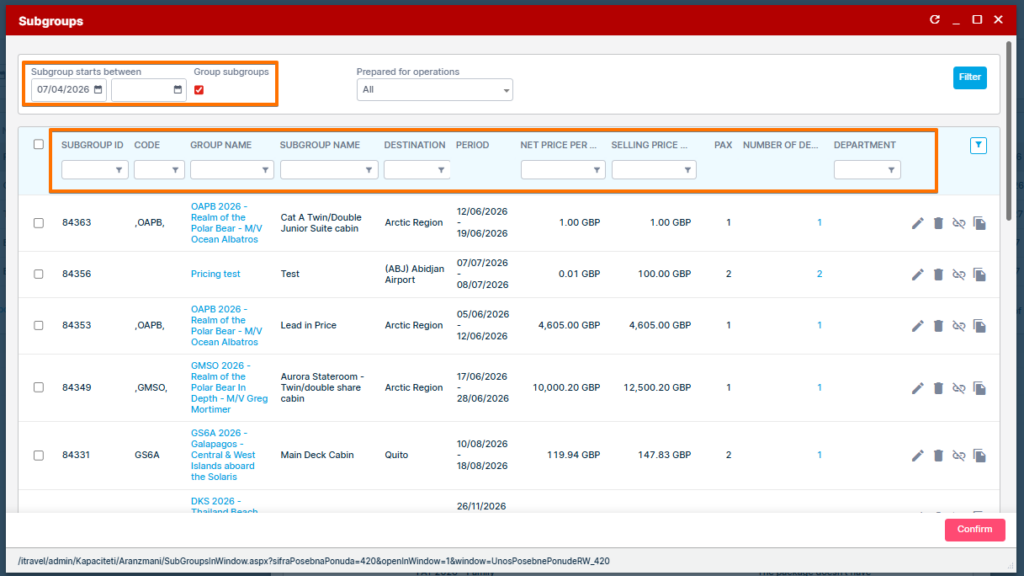
- Clicking the action opens the existing Subgroups grid.
- Users can select one or multiple subgroups (cherry picking).
- Selected subgroup IDs are linked to the SPO upon confirmation.
- On save, subgroup associations are persisted with no data loss.
- If no subgroups are selected, SPO behavior remains unchanged (applies as before).
- Linked subgroups are reflected in the SPO linked products view.
If the subgroups are Grouped on the grid, users can assign all similar subgroups to the SPO (existing functionality). All columns can be used for filtering purposes.
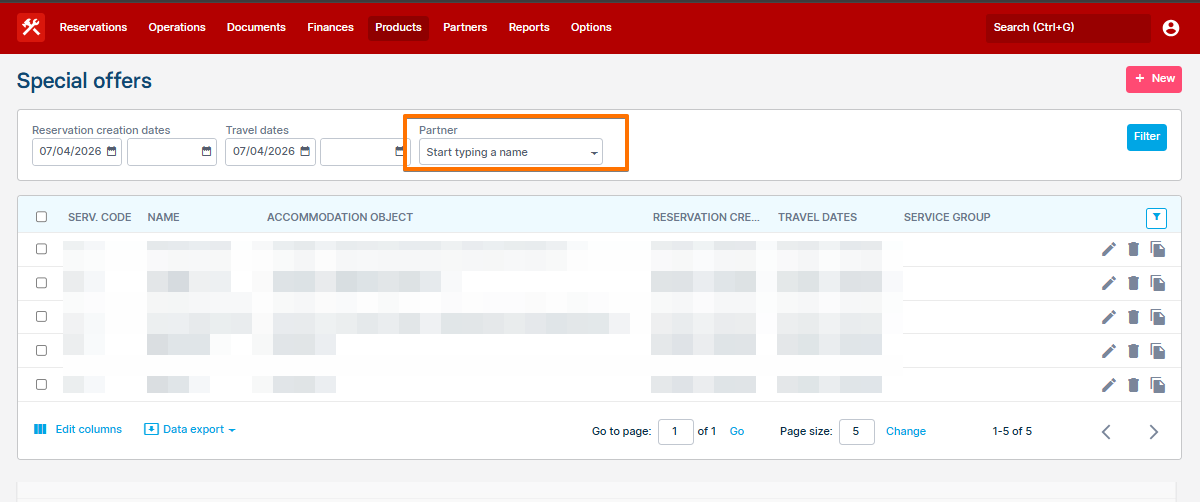
Partner filter in SPO grid
- A new Partner filter is added to the SPO grid.
- Users can select a partner and apply the filter.
- The system displays only SPOs explicitly linked to that partner via the SPO Partners tab.
- SPOs without explicitly selected partners are excluded.
- SPOs linked to multiple partners appear in results for any of those partners.
- The filter can be combined with other existing filters (date, product, etc.).
- Partner assignments via Custom Fields are ignored.